Budget AI hardware and cloud guide

Cheap GPU for AI: Best Budget Picks by VRAM, Workload, and Cost

The best cheap GPU for AI is the least expensive option that can hold your model, complete the job at a useful speed, and fit your real utilization. Use VRAM as the first filter, then compare live hardware and cloud checkpoints before you buy or rent.

D1 pricing rows were last refreshed Aug 19, 2026. Prices and provider availability change, so treat every value as a checkpoint rather than a quote.

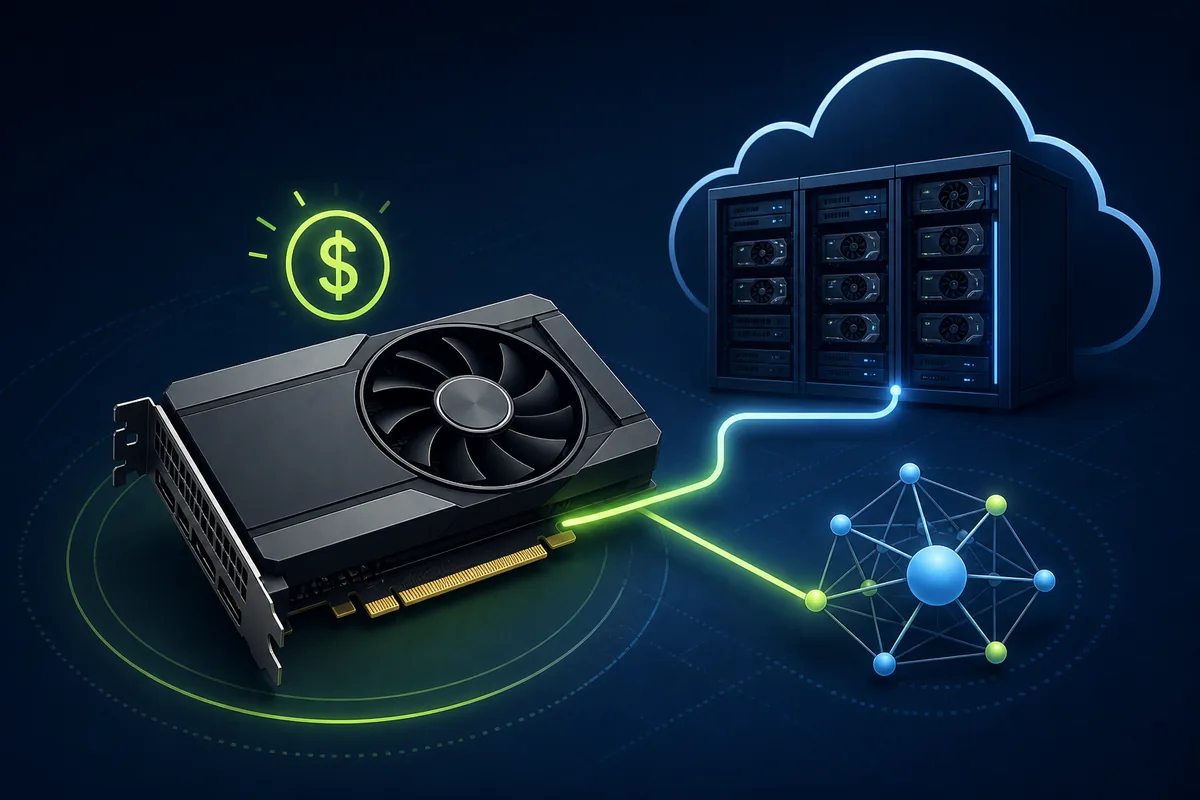
Editorial illustration comparing a budget AI GPU workstation with cloud GPU capacity
Budget AI decisions start with workload fit, then move to price and utilization.

Short answer

How to choose a cheap GPU for AI

A budget AI GPU should pass three tests: it has enough VRAM for the model and context you actually plan to run, it delivers useful throughput for your workload, and its total cost is reasonable at your expected number of hours. For local inference or ComfyUI, a 12-24GB consumer GPU is often the practical starting range. For occasional jobs or models that need 40GB or more, renting can be cheaper than buying a card that sits idle.

The table below uses live GPU Cost data instead of hardcoded prices. Use it to shortlist candidates, then open the GPU prices directory, compare cloud GPU pricing, and calculate utilization with the GPU rental cost calculator.

Live D1 checkpoints

Cheap GPU for AI price comparison

These rows combine the latest available hardware checkpoint with the lowest tracked on-demand and spot cloud rate for each GPU. The 730-hour column is a simple always-on reference, not a recommendation to leave a machine running all month. A complete budget also includes the host system, power, storage, data transfer, taxes, platform fees, and idle time.

GPUVRAMHardware checkpointCloud low730-hour cloudSpot lowProvidersTypical fit
RTX 3090NVIDIA 24 GB $800.00 $0.015/hr $10.95/mo $0.014/hr 3 Local LLMs, ComfyUI, and fine-tuning
RTX 4080NVIDIA 15 GB $900.00 $0.098/hr $71.69/mo $0.098/hr 2 Local LLMs, ComfyUI, and fine-tuning
RTX A4000NVIDIA 16 GB $900.00 $0.060/hr $43.80/mo $0.250/hr 4 Local LLMs, ComfyUI, and fine-tuning
RTX 4080 SuperNVIDIA 16 GB $1.1k Local LLMs, ComfyUI, and fine-tuning
RTX 4090NVIDIA 24 GB $1.8k $0.268/hr $195.79/mo $0.134/hr 3 Local LLMs, ComfyUI, and fine-tuning
Tesla V100NVIDIA 32 GB $2.5k $0.140/hr $102.20/mo $0.992/hr 5 Larger inference and serious fine-tuning
L4NVIDIA 22 GB $2.8k $0.032/hr $23.65/mo $0.032/hr 4 Local LLMs, ComfyUI, and fine-tuning
RTX A6000NVIDIA 48 GB $3.5k $0.450/hr $328.50/mo $0.530/hr 6 Larger inference and serious fine-tuning
A40NVIDIA 48 GB $4.0k $0.440/hr $321.20/mo $0.440/hr 3 Larger inference and serious fine-tuning
RTX 6000 AdaNVIDIA 48 GB $7.0k $0.750/hr $547.50/mo $0.438/hr 5 Larger inference and serious fine-tuning
A100 PCIENVIDIA 40 GB $8.0k $0.720/hr $525.60/mo $1.15/hr 6 Larger inference and serious fine-tuning
L40SNVIDIA 48 GB $9.0k $0.910/hr $664.30/mo $0.990/hr 4 Larger inference and serious fine-tuning
A100 SXMNVIDIA 80 GB $12.0k $1.15/hr $839.50/mo $1.57/hr 9 Large-model training and high-memory inference
MI300AMD 128 GB $15.0k Large-model training and high-memory inference
MI300XAMD 192 GB $18.0k $2.39/hr $1.7k/mo $2.39/hr 1 Large-model training and high-memory inference
MI355XAMD 288 GB $25.0k Large-model training and high-memory inference
H100 PCIeNVIDIA 80 GB $28.0k $2.89/hr $2.1k/mo $2.89/hr 3 Large-model training and high-memory inference
H100NVIDIA 80 GB $32.0k $1.47/hr $1.1k/mo $1.47/hr 13 Large-model training and high-memory inference

How to read it: the lowest price is only useful when the row has enough memory and the provider can complete your workload. Open a model page for detailed specifications, then verify the final provider offer before committing to a long run.

Choose by workload

Best budget GPU direction for common AI workloads

“Cheap” means something different for inference, image generation, and training. The right answer is a workload tier, not a universal winner. Start with the memory requirement and only then compare throughput, hardware price, and cloud rate.

Local LLM inference

Prioritize VRAM per dollar

Quantized 7B-13B models can fit on a modest consumer GPU, while larger models need more memory or CPU offload. A 20-24GB card gives useful headroom for longer context, multiple users, and faster generation without immediately moving to data-center rental.

Continue with: AI inference recommendations

ComfyUI and Stable Diffusion

Balance VRAM and batch speed

8GB can support smaller workflows, but SDXL, ControlNet, high-resolution upscaling, and several loaded models become easier at 12-24GB. If generation is occasional, compare a local card with bursty cloud use rather than paying for idle capacity.

Continue with: Stable Diffusion GPU guidance

Fine-tuning

Pay for memory before peak FLOPS

QLoRA and other parameter-efficient methods make smaller GPUs viable, but gradients, activations, batch size, and checkpoint storage still matter. If the model barely fits, a slightly cheaper card can cost more through retries and slower iteration.

Continue with: fine-tuning GPU recommendations

Training and large models

Rent before buying a cluster

Full training and large-model fine-tuning quickly outgrow a budget tower. High-memory cloud GPUs can be more economical when the job is short, distributed, or still being designed. Check interconnect, checkpointing, storage, and interruption behavior as carefully as the hourly price.

Continue with: LLM training GPU guidance

Bursty workloads

Optimize for commitment, not ownership

If you run experiments a few hours each week, a rental can be the cheapest GPU for AI even when its hourly rate looks higher than ownership. Stop the instance, delete unused volumes, and include transfer and startup time in the project estimate.

Compare: cloud GPU rental models

Stable daily use

Model total cost of ownership

Buying becomes more attractive when the GPU runs regularly, the stack is stable, and you can use the machine for several years. Include electricity, cooling, warranty, replacement risk, and resale value instead of dividing only the card price by a theoretical lifetime.

Compare: budget GPU server paths

VRAM is the budget gate

Why VRAM changes the cost of AI

VRAM determines whether the model can run without aggressive offload, tiny batches, or repeated out-of-memory failures. It is not the only performance metric, but it is the first constraint: a fast GPU with too little memory cannot become a cheap solution by running longer.

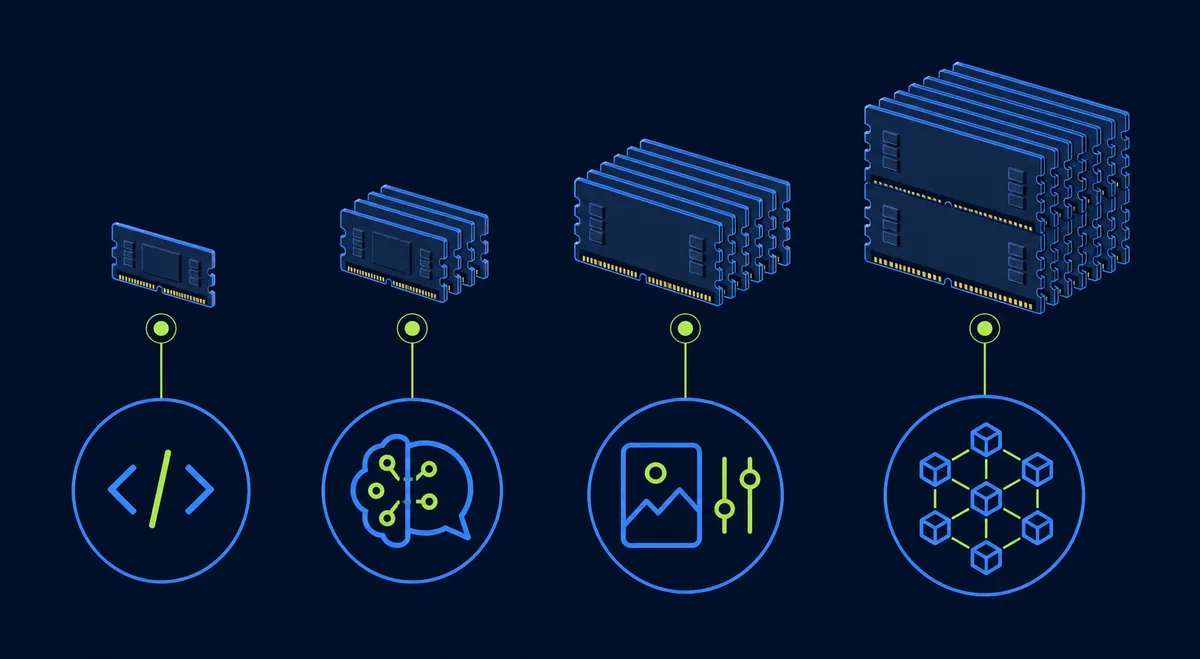
8-16 GBdevelopment, smaller inference, SD 1.5, and lighter image workflows
20-24 GBlocal LLMs, ComfyUI, SDXL, QLoRA, and more headroom for batches
40-48 GBlarger inference, serious fine-tuning, and jobs that need fewer compromises
80 GB+large-model training, full-precision workloads, and high-memory production jobs
Editorial visual showing AI workload memory tiers from small inference to high-memory training
Memory tiers narrow the shortlist before price and throughput decide the final GPU.
Practical rule: write down model weights, precision, context length, KV cache, batch size, adapters, and headroom before comparing GPUs. Treat a published minimum as a starting point, not a comfortable operating target.
Editorial decision flow comparing buying a local AI GPU with renting cloud capacity
Buy for recurring utilization; rent for bursty demand, uncertain requirements, or high-memory spikes.

Buy versus rent

When is renting the cheap GPU for AI?

Ownership has a lower marginal cost after the hardware is paid for, but it also creates a fixed commitment. A local GPU can sit idle, draw power, need cooling, and become obsolete while the model is still changing. Cloud rental reverses that trade: the hourly rate may be higher, but the commitment is smaller and the available VRAM tier can be much larger.

Buy when

  • usage is regular and predictable;
  • the model and software stack are stable;
  • you can operate power, cooling, storage, and maintenance;
  • resale or multi-year use supports the upfront cost.

Rent when

  • jobs are bursty or seasonal;
  • you need to test several GPU generations;
  • the workload needs more VRAM than a local budget card;
  • interruption, storage, and transfer costs are controllable.

For a project estimate, compare the live rows with the GPU server cost calculator and then verify provider details in the GPU pricing index.

A repeatable shortlist

Five steps to choose a budget AI GPU

  1. Define the workload. Write down inference, image generation, fine-tuning, training, latency, concurrency, and expected monthly hours.
  2. Set the VRAM floor. Include model weights, precision, context, KV cache, optimizer state, activations, adapters, and a practical safety margin.
  3. Shortlist three rows. Use the live table, then open the model pages to verify memory type, bandwidth, power, form factor, and software support.
  4. Benchmark useful output. Measure tokens per second, images per minute, training time, queue time, and failure/restart behavior—not only peak TFLOPS.
  5. Recalculate total cost. Add electricity, cooling, storage, network egress, platform fees, idle hours, taxes, support, and the cost of a future upgrade.

Cheap GPU for AI FAQ

What is the cheapest GPU for AI?

There is no single cheapest GPU for every AI workload. A lower-cost card can be a good choice when its VRAM fits the model and it is used often enough to justify ownership. For short or uncertain jobs, the cheapest option may be a rented GPU because you avoid idle hardware, power, and maintenance.

Is an RTX 3090 or RTX 4090 better for budget AI?

The RTX 3090 can be attractive when its 24GB of VRAM is available at a large discount. The RTX 4090 is usually faster and more efficient, so it can be the better value when training or inference time matters. Compare total hardware price, electricity, warranty, and expected hours rather than comparing speed alone.

How much VRAM do I need for ComfyUI or Stable Diffusion?

About 8GB can work for smaller Stable Diffusion workflows, while 12-16GB gives more room for SDXL, ControlNet, higher resolutions, and multi-model ComfyUI graphs. 20-24GB is a more comfortable budget tier for larger workflows and batches. Check the exact checkpoint, resolution, and extensions before buying.

Is a cheap GPU for AI training different from one for inference?

Yes. Training and fine-tuning need room for gradients, optimizer states, activations, and batches, while inference mainly needs model weights, KV cache, and request concurrency. Quantization can make inference practical on a smaller GPU, but training often benefits more from VRAM capacity and memory bandwidth.

When should I rent a GPU instead of buying one?

Rent when usage is bursty, the model size is uncertain, you need more VRAM than a local card provides, or the workload must finish quickly. Buying can make sense when the GPU will run regularly, the software stack is stable, and power, cooling, support, and resale costs still fit the budget.

Methodology and official references

GPU Cost's comparison rows are database snapshots. Hardware values describe the GPU, not a complete workstation or server quote; cloud values are observed provider rows and can change with region, capacity, billing model, storage, and platform fees.

Verify the final product specification, provider quote, availability, and software compatibility before purchase or a long training run.