GPU model and count
The accelerator usually dominates the quote. Capacity, memory bandwidth, interconnect support, and supply matter as much as model age.
GPU infrastructure cost guide
A GPU server can cost roughly $10,000 to $400,000+, depending on accelerator count, memory, networking, support, and whether the system is a workstation-class box or an enterprise AI cluster node. That GPU server price is only the first line in the budget.
Cloud price snapshots updated from Sep 10, 2026.
Short answer
For early budgeting, use $10,000-$30,000 for a modest single-GPU server, $40,000-$100,000 for a higher-end enterprise configuration, and $100,000-$400,000+ for dense four- to eight-GPU systems. Those are planning ranges, not quotes. Current accelerators, large system memory, redundant power, 100-400 Gb networking, enterprise support, and liquid-cooling requirements can push a configuration above them.
A fair buy-versus-rent comparison must use total cost of ownership: hardware, electricity, cooling, rack space, networking, support, engineering time, downtime, and expected utilization. If demand is uncertain, compare the result with live cloud GPU pricing and the cloud GPU rental guide before committing capital. If your immediate priority is the lowest workable entry point, use the cheap GPU servers guide to compare used hardware, workstations, dedicated hosts, and cloud rentals.
GPU server pricing is quote-driven, so the useful first step is to match the system class to the workload. The ranges below are broad 2026 planning estimates for complete systems, not standalone GPU cards.
| System type | Typical configuration | Planning range | Best fit |
|---|---|---|---|
| Entry GPU server | 1 prosumer or inference GPU, 128-256 GB RAM | $10k-$30k | Prototyping, rendering, small inference |
| Enterprise single-GPU | 1 data-center GPU, ECC memory, redundant PSU | $40k-$100k | Stable inference, regulated environments |
| Four-GPU server | 4 accelerators, high-core CPU, NVMe, fast fabric | $100k-$250k+ | Fine-tuning, training, shared research |
| Eight-GPU AI server | 8 accelerators, NVLink/NVSwitch-class fabric | $200k-$400k+ | Large-model training and dense inference |
| Integrated cluster node | Specialized platform, support, cluster networking | $300k+ per node | Enterprise AI factories and HPC clusters |
The accelerator usually dominates the quote. Capacity, memory bandwidth, interconnect support, and supply matter as much as model age.
Large datasets and model checkpoints can require hundreds of gigabytes of RAM plus multiple enterprise NVMe drives.
A single server may use standard Ethernet. Multi-node training can require expensive low-latency 100-400 Gb networking and switching.
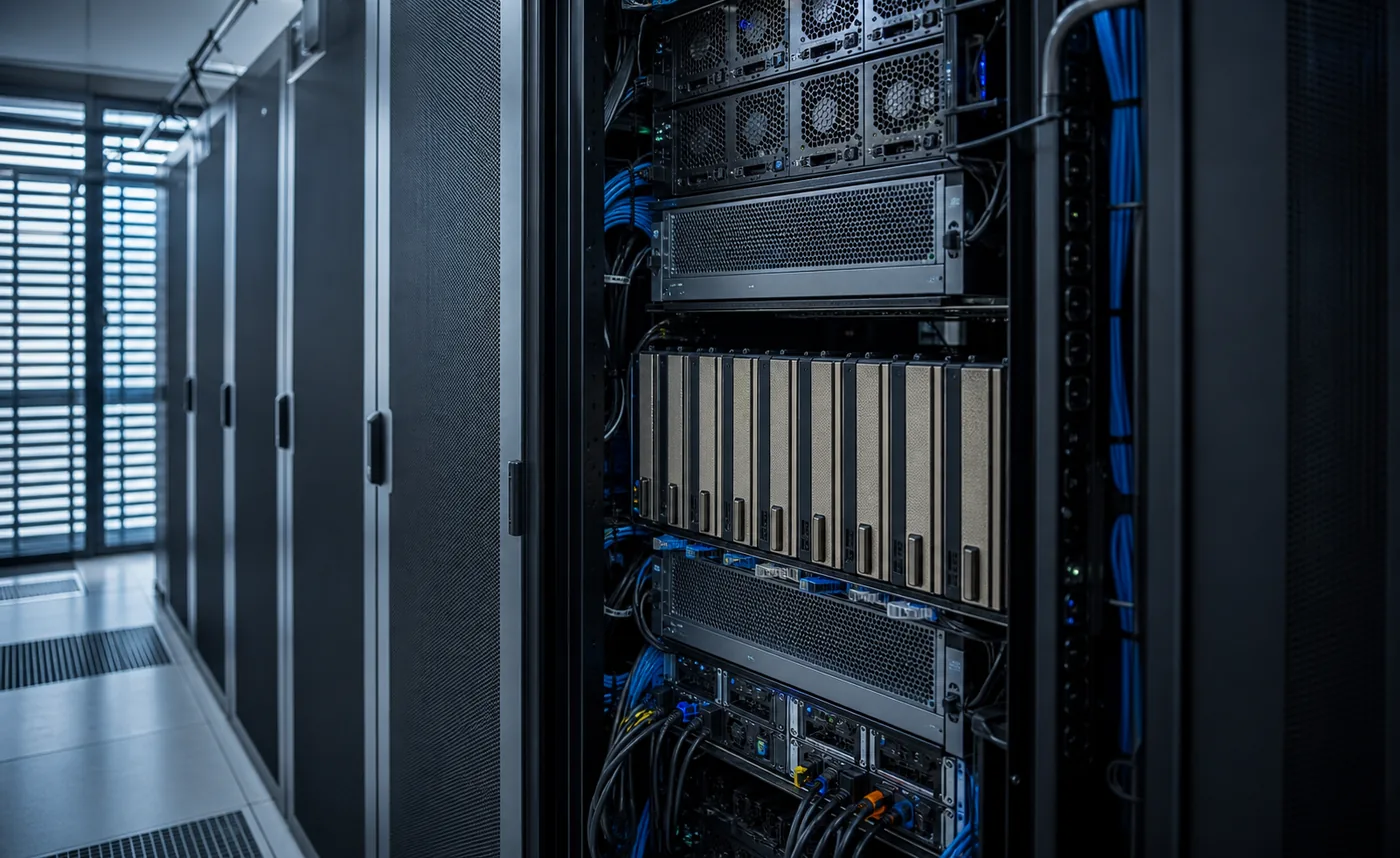
Dense GPU servers can draw several kilowatts. Facility power, heat rejection, airflow, and sometimes liquid cooling become project costs.
Next-business-day support, replacement parts, validated firmware, and vendor engineering reduce downtime but increase acquisition cost.
An idle purchased server still depreciates. Underused capacity is often the largest hidden cost in a buy-versus-rent decision.
Use a consistent period for every option. A simple three-year model is:
3-year TCO = purchase + deployment + electricity + cooling + rack/network + support + operations - resale value| Cost line | How to estimate it | Common mistake |
|---|---|---|
| Purchase | Complete delivered system, tax, freight, and required licenses | Using the price of the GPU card alone |
| Electricity | Average kW x operating hours x local $/kWh | Using maximum power at 100% utilization for every hour |
| Cooling | Apply facility overhead or a measured PUE factor | Assuming heat removal is free |
| Operations | Engineering, monitoring, patching, scheduling, and incident time | Ignoring staff cost because the team already exists |
| Downtime | Expected unavailable hours x business impact | Assuming failed hardware is replaced instantly |
| Residual value | Conservative resale or reuse value after the modeled period | Assuming the GPU retains today's demand |
For electricity, separate nameplate power from measured average draw. NVIDIA lists a maximum system power of about 10.2 kW for DGX H100, illustrating why facility planning matters for dense systems. Actual consumption depends on workload, configuration, and utilization.
Cloud rental converts capital expense into a variable hourly cost. The monthly figures below multiply the current lowest observed on-demand rate by 730 hours for one continuously running GPU. They exclude storage, networking, platform fees, and discounts, so use them as a checkpoint rather than a quote.
| GPU | Lowest observed rate | 730-hour checkpoint | Providers |
|---|---|---|---|
| H100 | $1.47/GPU-hour | $1.1k/month | 13 |
| H100 PCIe | $2.89/GPU-hour | $2.1k/month | 3 |
| A100 SXM | $1.30/GPU-hour | $949.00/month | 8 |
| L4 | $0.032/GPU-hour | $23.65/month | 4 |
| RTX 4090 | $0.149/GPU-hour | $108.99/month | 3 |
For a workload-specific estimate, enter GPU count, operating hours, utilization, storage, and overhead in the GPU rental cost calculator. For bursty inference, compare an always-on server with the serverless GPU pricing calculator.

Complete systems commonly span about $10,000 to $400,000 or more. The GPU count and model dominate the quote, but RAM, storage, networking, redundant power, cooling, support, and vendor integration can be equally important.
A useful GPU server price should state the accelerators, CPU, system memory, storage, network fabric, chassis, power supplies, cooling, warranty, delivery, installation, and support scope. If a quote lists only the GPU card, it is not yet a comparable system price.
A dense eight-GPU enterprise system often requires a six-figure budget and can exceed $300,000 depending on the accelerators, memory, fabric, support, and delivery scope. Ask for a complete quote rather than multiplying a public card price by eight.
It can be, especially for mature CUDA workloads, but verify warranty status, remaining component life, firmware support, power requirements, cooling compatibility, and whether the older GPU has enough memory for the workload.
Break-even occurs when cumulative cloud cost exceeds the ownership TCO for equivalent useful compute. The answer depends on utilization, workload speed, power, operations, financing, discounts, and how quickly the hardware becomes obsolete.
Usually not before demand is stable. Cloud rental protects cash and lets the team test different GPUs. Buying becomes more defensible when utilization is measurable, data or latency requirements demand local control, and the team can operate the hardware.
Cloud rates on this page come from GPU Cost provider rows and can change. Hardware ranges are budgeting estimates, not purchase offers.